My account

Boston Scientific accounts are for healthcare professionals only.

Create an account to access online training and education on EDUCARE, manage your customer profile, and connect with customer support and service teams.

My Boston Scientific account

Access your online applications and manage your customer profile.

Quick Links

Call customer care

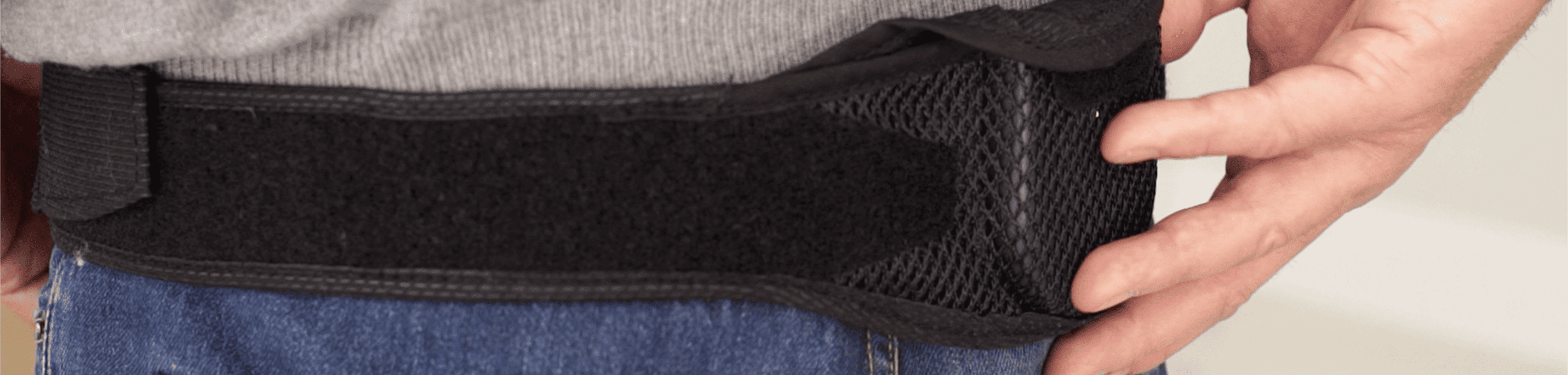
close-up of SCS charging belt on man's waist.

Charging your SCS system

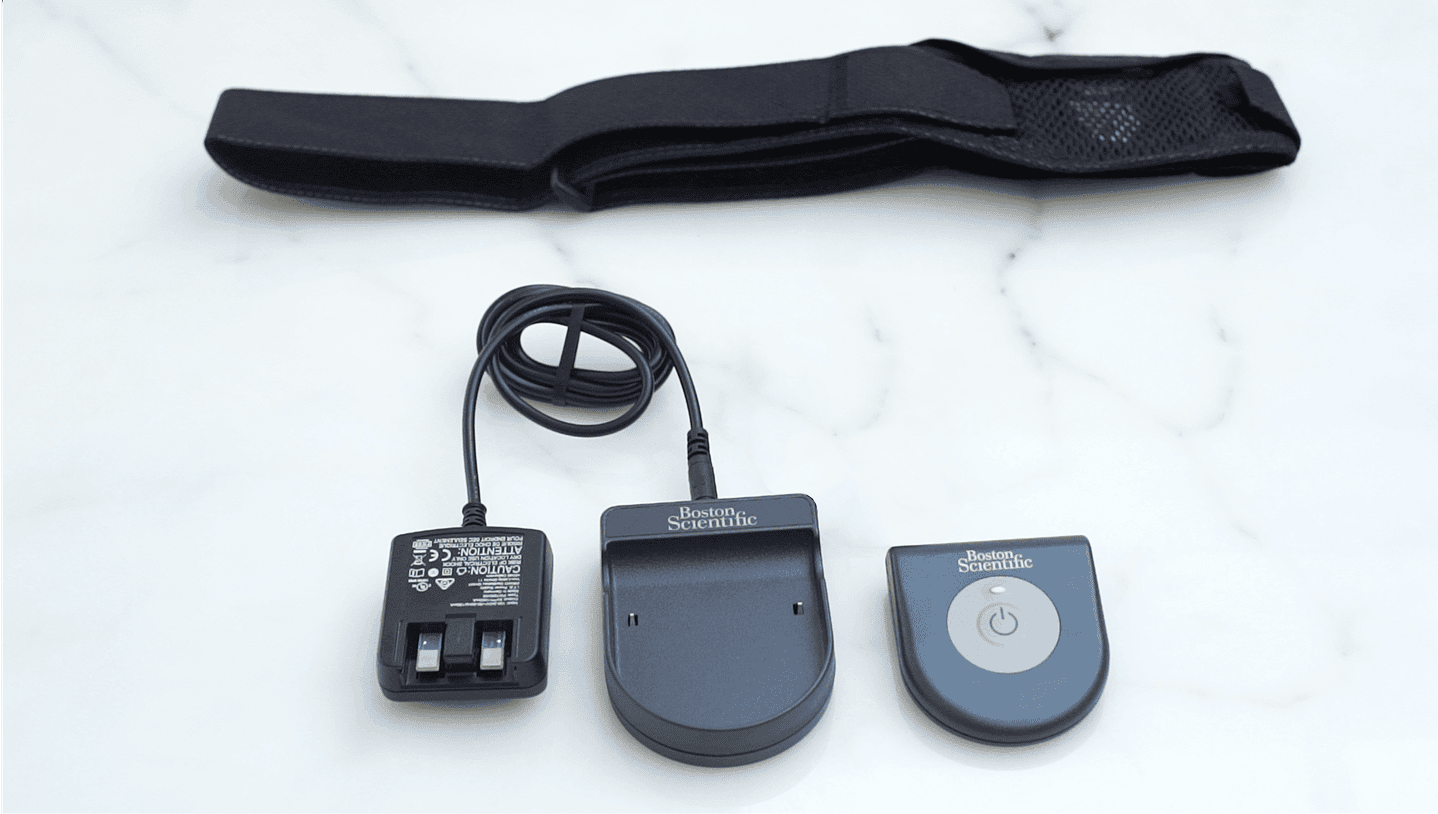
If your Boston Scientific Spinal Cord Stimulator (SCS) uses a rechargeable battery, you will use your charging system to recharge the battery as needed. The charging system includes a charger unit, a base station, and a power supply. The base station is designed to remain connected to a power outlet at all times. When it is not being used, keep the charger on the base station so that it is always ready to deliver a charge.

scs rechargable battery system including charger unit, base station, power supply and belt.


SCS charging system video guide

FAQs

This can vary from person to person and you can develop a charge routine that best fits your own lifestyle. You will want to consider: 

  • How much power you need to have effective therapy 
  • How often you want to recharge 
  • How long you want to spend recharging 
  • How you like to manage your personal schedule 

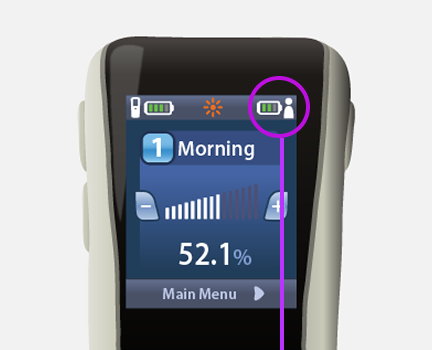
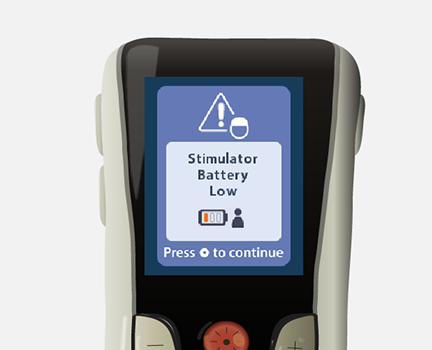
Your SCS system remote control or Therapy Controller's Home Screen provides an easy-view Stimulator Battery Charge Status graphic to let you know your battery’s current level. To avoid running out of power, it is best to charge your stimulator before it reaches the very low “hibernation” condition.

Freelink™ Remote Control

screen showing battery level icon in upper right corner.
blue screen displaying "stimulator battery low" message.
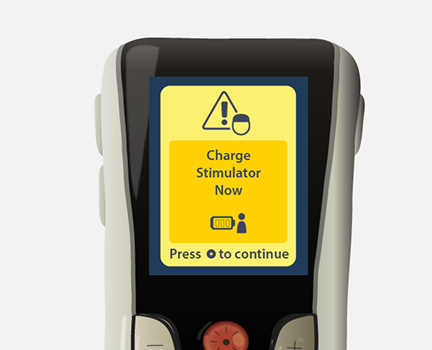
yellow warning screen displaying "charge stimulator now" message.

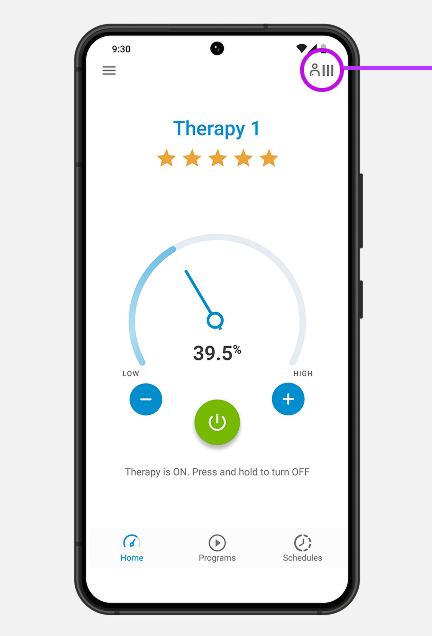
mySCS™ GO Therapy Controller

screen showing battery level icon in upper right corner.

If you wait too long to charge your simulator, it will eventually stop working. When this happens, it will no longer deliver the SCS therapy that helps you manage your pain until you charge it again. 

Note: None of your programs will be lost if your stimulator’s battery dies. They will restore upon recharging.

This will vary depending on how long you wait between charging sessions. You may like to schedule your session for a time when you are watching a favorite television show or reading a book.  

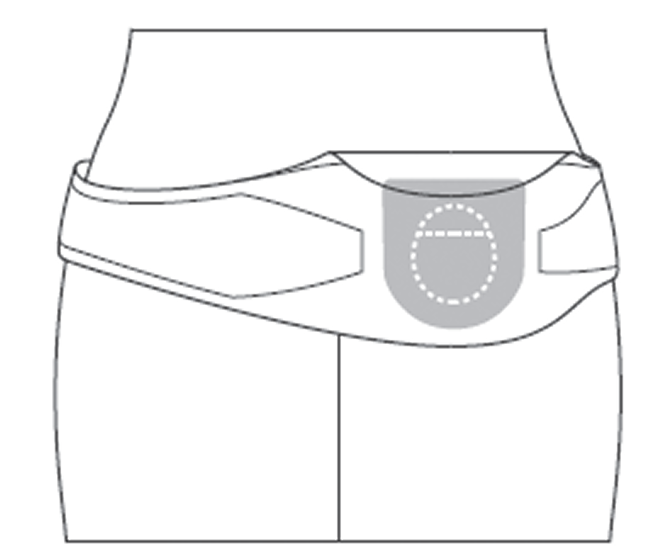
Note: Centering the charger over your stimulator will ensure the shortest charging time. Also, be sure the charger is well ventilated while charging your stimulator. If it isn't well ventilated, it will stop charging.

diagram of scs charging on body.
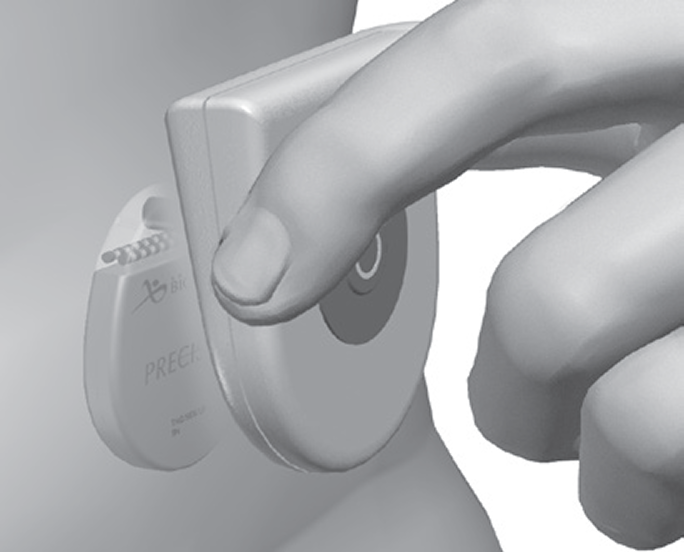
illustration showing size of scs charger held in fingers.

Your charger will emit a DOUBLE BEEP to indicate your stimulator is fully charged.

No. You should not charge your stimulator while sleeping as this could result in a burn. The charger needs to be well ventilated.

Boston Scientific recommends the use of the charger belt for charging. However, if you would prefer, adhesive patches (available separately) can be used to hold the charger over the stimulator. The adhesive patches are designed for single use. They are made of non-reactive material suitable for most sensitive skin types. To charge your stimulator using the adhesive patch, adhere the patch to the charger and then press the adhesive to the skin over the stimulator.

You can order complimentary adhesive patches through the mySCS™ App. If you do not have the mySCS App, you can complete this form.

*Please do not complete the form multiple times. It usually takes between 4 and 7 business days for the order to be delivered.

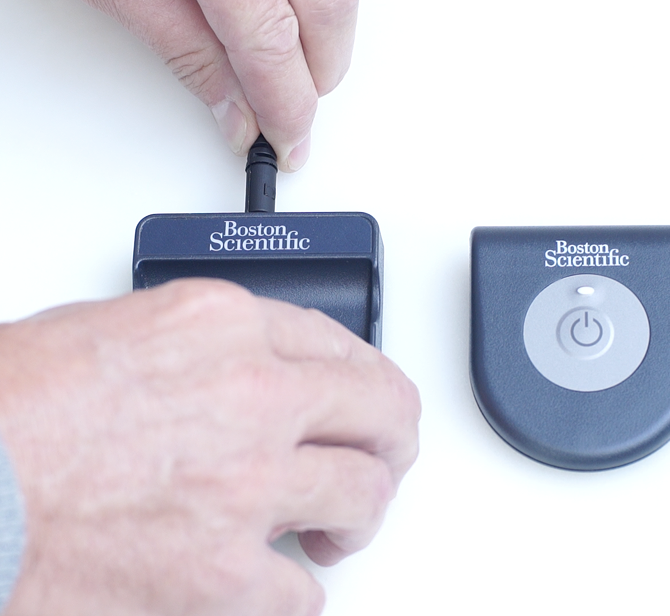
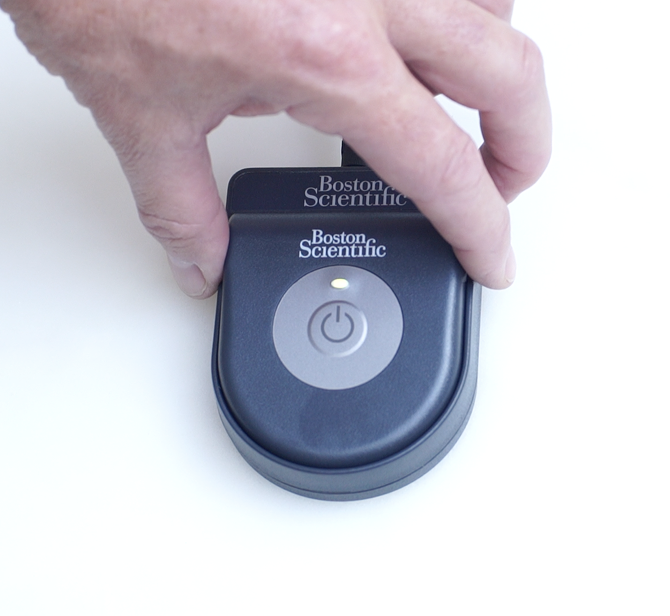
Ensure that the power supply is fully seated in an electrical outlet and fully plugged into the base station. One small connection error can cause a lack of charging. If the issue persists, try a different electrical outlet to rule out a faulty power source.

check power source is seated in base station.
scs charging center button.

The remote control or Therapy Controller will not communicate with your stimulator while charging. Remove the charger and turn it off if you need to use your remote control.

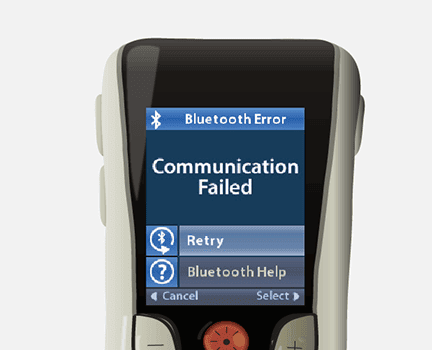
Freelink™ Remote Control

Freelink remote control communication error message.

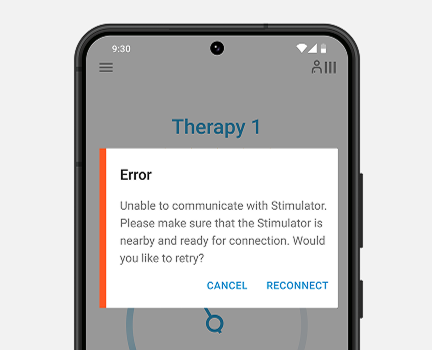
mySCS™ GO Therapy Controller

mySCS GO App displaying communication error.

You can call our Patient Care team at (866) 360-4747 to discuss your replacement options.

Yes, your charging system has a 12-month warranty.

The warranties on your charging system and remote control or Therapy Controller expire after 12 months. At that time, you will receive notification by mail that you have the option to purchase an extended warranty. This may be useful for you if you do not have insurance or if your plan has a high deductible. It is a good idea to check with your insurance provider to see what they would cover in the event you need to replace your charging system, remote control, or Therapy Controller.  

Note: If you did not receive a letter from us or if you have any questions about the extended warranty, you can call the Boston Scientific Patient Care team at (866) 360-4747. 

We’re here to help

Our Patient Care team is here to support you throughout your SCS journey.

Available 5am to 5pm PST, Monday through Friday

For a list of compatible mobile devices, visit www.myscsjourney.com/mySCSGO. The mySCS™ GO Therapy Controller Application is compatible with the WaveWriter Alpha Spinal Cord Stimulation System only.

Indications for Use: The Boston Scientific Spinal Cord Stimulator (SCS) Systems* are indicated as an aid in the management of chronic intractable pain of the trunk and/or limbs including unilateral or bilateral pain associated with the following: Failed Back Surgery Syndrome, Complex Regional Pain Syndrome (CRPS) Types I and II, Intractable low back pain and leg pain, Diabetic Peripheral Neuropathy of the lower extremities, Radicular pain syndrome, Radiculopathies resulting in pain secondary to failed back syndrome or herniated disc, Epidural fibrosis, Degenerative disc disease (herniated disc pain refractory to conservative and surgical interventions), Arachnoiditis, Multiple back surgeries.

The Boston Scientific Spectra WaveWriter™, WaveWriter Alpha™ and WaveWriter Alpha™ Prime SCS Systems are also indicated as an aid in the management of chronic intractable unilateral or bilateral low back and leg pain without prior back surgery.

*The Boston Scientific Spinal Cord Stimulator (SCS) Systems include the following: Precision™ System, Precision Spectra™ System, Precision Novi™ System, Precision Montage™ MRI System, Spectra WaveWriter™ System, WaveWriter Alpha™ System, WaveWriter Alpha™ Prime System.

Note: CRPS I was previously referred to as Reflex Sympathetic Dystrophy (RSD) and CRPS II was previously referred to as causalgia.

The mySCS™ Go Therapy Controller is intended to communicate with and control the compatible Boston Scientific Stimulator.

Contraindications: The Boston Scientific Spinal Cord Stimulator systems are not for patients who are unable to operate the system, have failed trial stimulation by failing to receive effective pain relief, are poor surgical candidates, or are pregnant.

Warnings: With all medical procedures, there are risks associated with the procedure and the use of the device. Patients implanted with Boston Scientific Spinal Cord Stimulator systems without ImageReady™ MRI Technology should not be exposed to Magnetic Resonance Imaging (MRI). Exposure to MRI may result in dislodgement of the stimulator or leads, heating of the stimulator, severe damage to the stimulator electronics and an uncomfortable or jolting sensation. As a Spinal Cord Stimulation patient, you should not have diathermy as either a treatment for a medical condition or as part of a surgical procedure. Strong electromagnetic fields, such as power generators or theft detection systems, can potentially turn the stimulator off, or cause uncomfortable jolting stimulation. The system should not be charged while sleeping. The Boston Scientific Spinal Cord Stimulator system may interfere with the operation of implanted sensing stimulators such as pacemakers or implanted cardiac defibrillators. Advise your physician that you have a Spinal Cord Stimulator before going through with other implantable device therapies so that medical decisions can be made and appropriate safety measures taken. Patients using therapy that generates paresthesia should not operate motorized vehicles such as automobiles or potentially dangerous machinery and equipment with the stimulation on. Stimulation must be turned off first in such cases. For therapy that does not generate paresthesia (i.e. subperception therapy) it is less likely that sudden stimulation changes resulting in distraction could occur while having stimulation on when operating moving vehicles, machinery, and equipment.

Be sure to talk with your doctor so that you thoroughly understand all of the risks, precautions, and benefits associated with the use of the device and what indicates, and contraindicates, certain patients– as well as the risks and precautions for the procedure. For complete indications for use, contraindications, warnings, precautions, and side effects, call 866.360.4747 or visit Pain.com.

Caution: U.S. Federal law restricts this device to sale by or on the order of a physician.