Boston Scientific accounts are for healthcare professionals only.
User experience (UX)
The most important question you should continually ask when creating a website is how the intended user – a prospective patient – will consume the information. The user experience, or UX, of a website encompasses all aspects of a user’s interaction from first visit to completing the action they intended, such as scheduling a visit. The overall UX should be intuitive, functional, and positive for the user.


Content
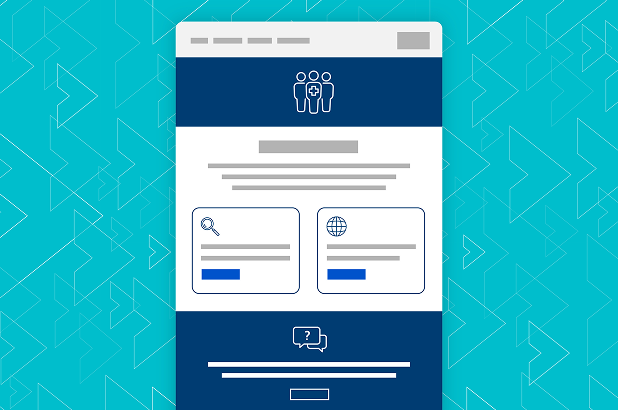
The content on your website refers to all text, images, videos, and any other media that make up the information you want to showcase to a user. Your website is typically the first place a prospective patient will visit before contacting your office – what questions can you answer for them and what do you want them to know before reaching out? Start by putting yourself in the shoes of a patient. This mindset will help you create content that resonates with their needs and concerns:
- What are things you would like to know about a new doctor or practice prior to visiting?
- What questions do you typically receive at the front desk that you can include on your website?
- How can you make this information visually appealing to a user?
- What action do you want them to take?
- Copy on the website should be concise and easy to follow. It should emphasize important details in a way that is easy to understand, giving the users the information they need to make decisions or guide them to take next steps.
- Imagery on your website is a crucial element to enhance your website’s appearance and convey information for prospective patients. This can include your practice logo, pictures of your staff, and any graphs or illustrations to bring your content to life.
- “Feature pages” on your website are dedicated pages that highlight specific information that is important for the user. Try to pack in all the information you want to provide a potential patient, and break that information into different feature pages to make it easier to consume. For instance, having a dedicated staff page will help users get to know who they can expect to see when they walk into your office. Separating this from a page dedicated to treatment options will help different users find the specific information they are looking for and make your website easier to navigate.

Pro tip
Including feature pages like an FAQ and location information of your practice may improve your SEO ranking and allow users to find you more easily – which is addressed in the next section.
- Navigation refers to how users find their way to the various pages and information on your website. The navigation bar should include all of your feature pages with short, easy-to-read titles that indicate what content is included on that page. The navigation bar should be easily found at the top of your page and function on both desktop and mobile devices.
- Links can help you consolidate the information on each feature page and allow users to jump from one page to the next. If a specific topic can be expanded, you can include a link to that feature page so the user can navigate the website more easily and engage with additional content as needed. For example, if you are on the dedicated page talking about weight loss and mention endoscopic sleeve gastroplasty (ESG) as a treatment option, you can link ESG to the “treatment options” page and dive deeper into the subject. This can help keep your website concise, while also making it easily navigable for the user. Links can also be utilized to drive additional resources outside of your practice website or to individual documents to download, like a patient questionnaire.
- Calls to action, or CTAs, are the next step you want a prospective patient to take after they are well informed. Your CTAs may include prompts such as scheduling a consultation, downloading a form, or signing up for email updates. CTAs should be visible in the form of a button or link of a different color to differentiate from the page content and often appear multiple times throughout the website.
Execution


Pro tip
Your website should continually evolve, so plan to audit and refresh it regularly. Keeping the latest information available is essential for your users and will also improve your search engine ranking. Aim to review and optimize your website at least quarterly to maintain relevancy and high engagement, always providing the best UX for your potential patients.