Boston Scientific accounts are for healthcare professionals only.

LUX-Dx II™ Insertable Cardiac Monitor (ICM) System
Reimbursement
Configure or select a product to continue to order
- Overview
- Insertion procedure
- Technical specifications
- Ordering information
- Training
Overview
Focused on what matters
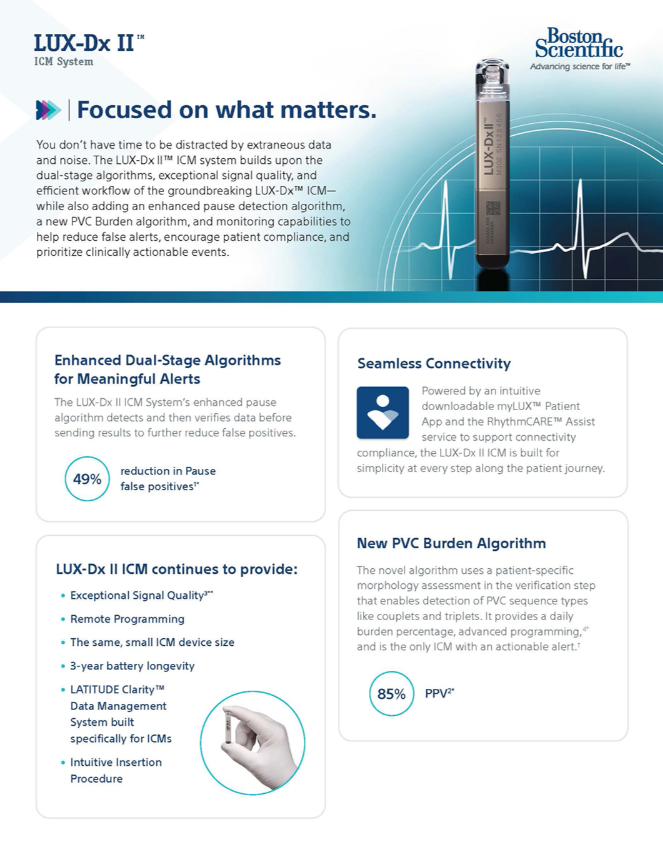
The LUX-Dx II ICM System builds upon the dual-stage algorithms and exceptional signal quality from the LUX-Dx cardiac loop recorder.
How it works
The LUX-Dx II ICM builds on the strong foundation and unparalleled signal quality of the first-generation LUX-Dx loop recorder with enhanced dual-stage algorithms to help reduce false alerts. It also comes equipped with a novel premature ventricular contraction (PVC) Burden algorithm, capable of detecting multiple sequence types including singlets, couplets and triplets.
Why choose the LUX-Dx II ICM System
The LUX-Dx II ICM System provides exceptional signal quality, efficient data management, seamless patient connectivity and an intuitive insertion procedure.
Intuitive insertion procedure
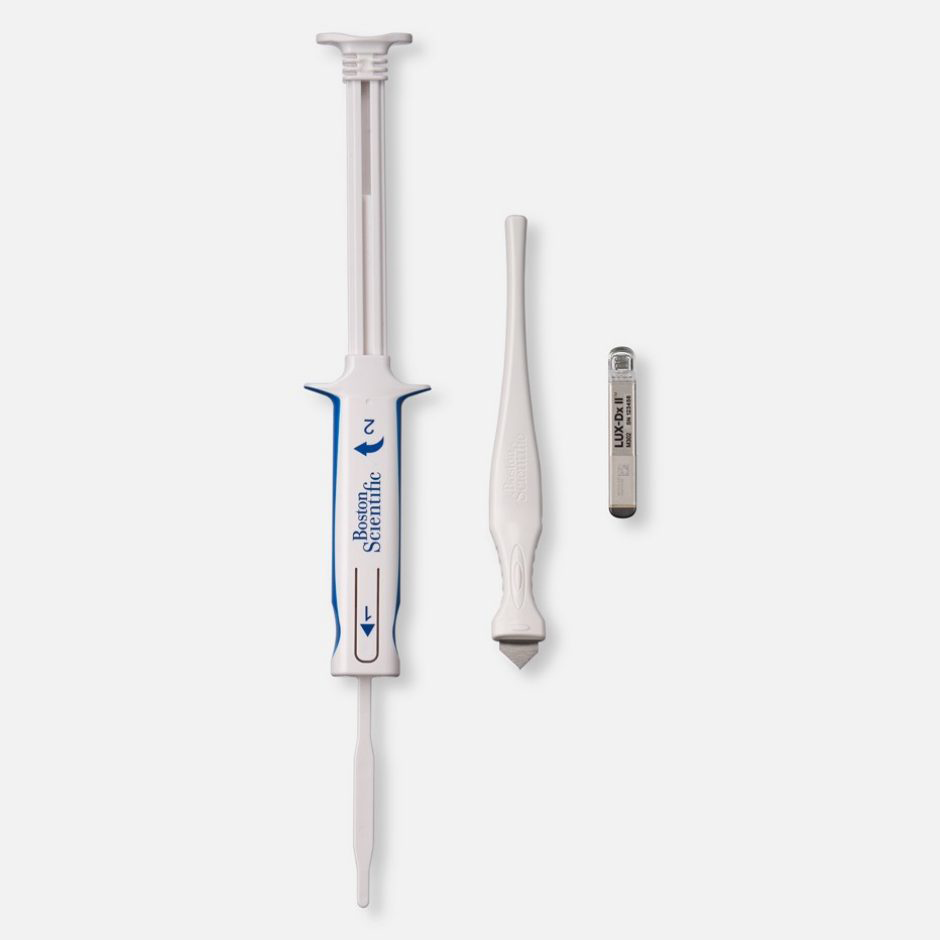
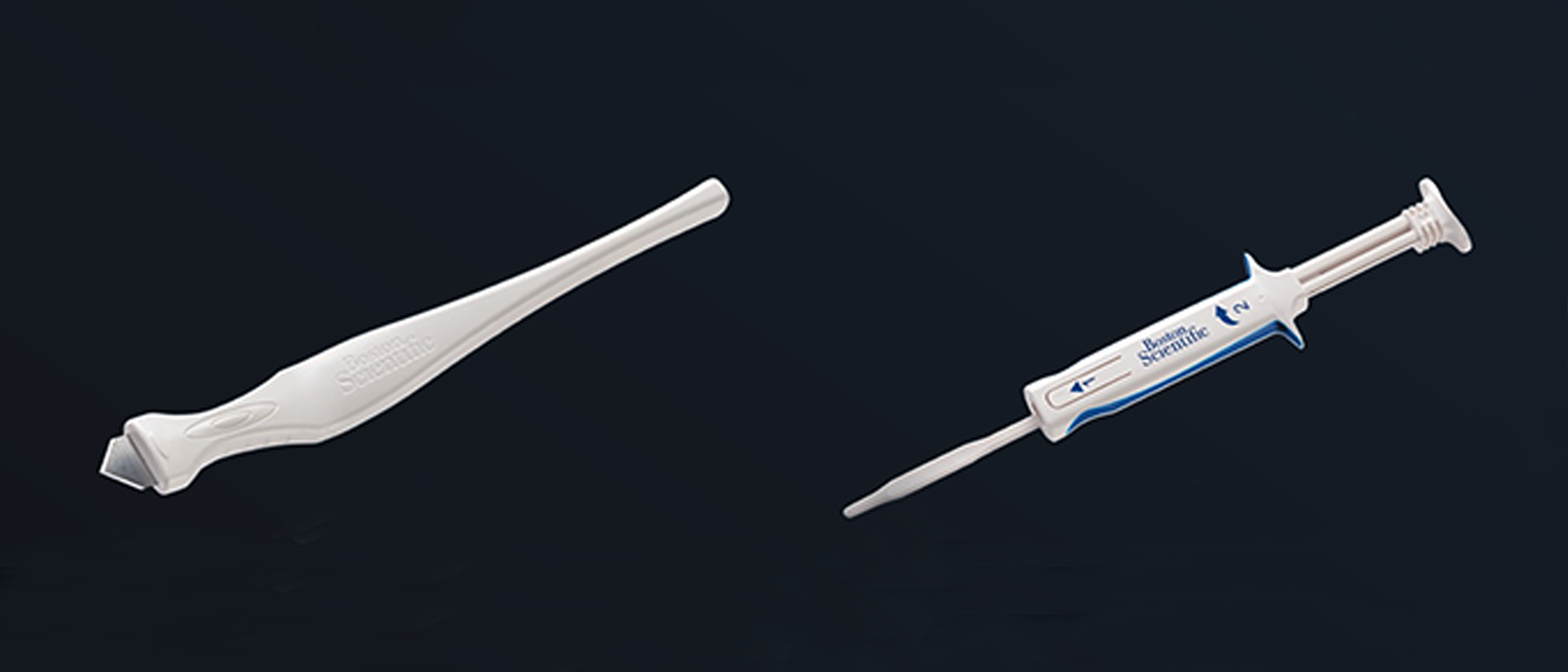
The LUX-Dx II ICM is delivered as a pre-loaded device in its own reloadable, single-piece insertion tool. It uses a familiar and straightforward implant procedure for reliable placement, rapid validation and confident completion.
Seamless remote programming
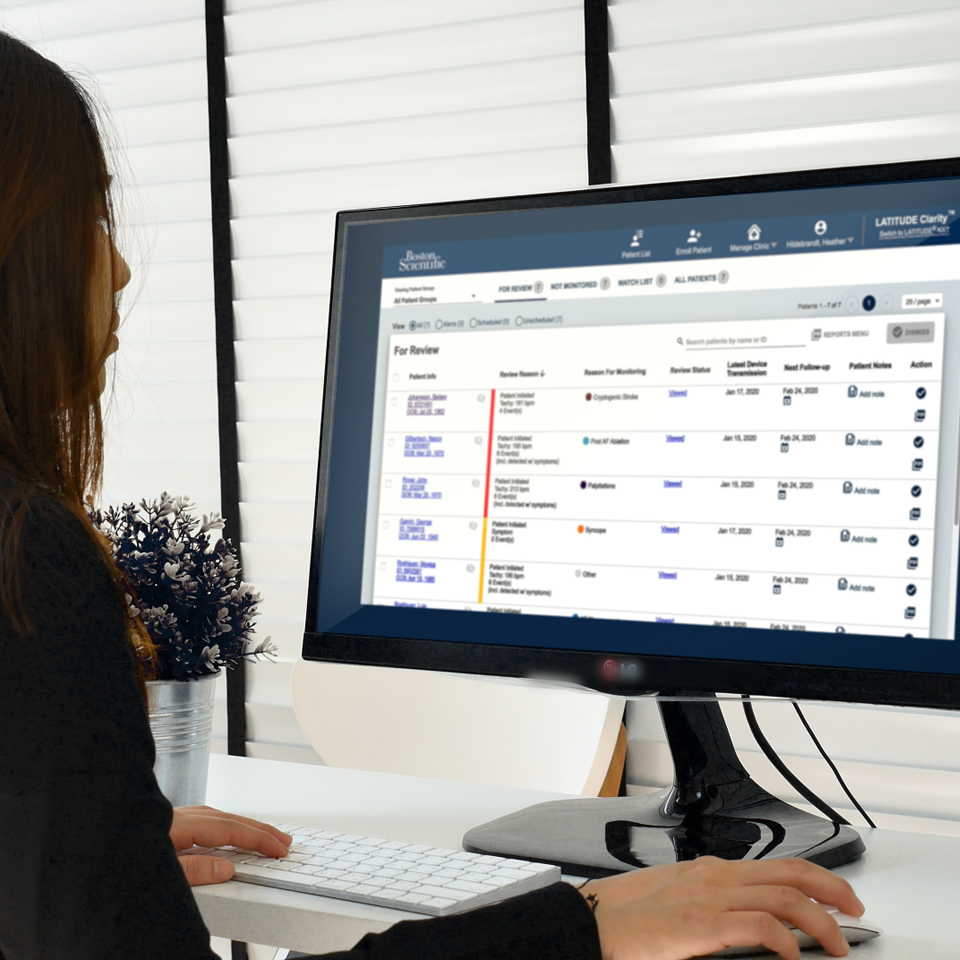
The LATITUDE ClarityTM Data Management System helps to increase efficiencies, enhance workflows, and fine-tune monitoring. Remote programming gives clinicians the ability to adjust LUX-Dx ICM1* settings without the need to bring the patient into the office.
User-friendly patient and clinic apps
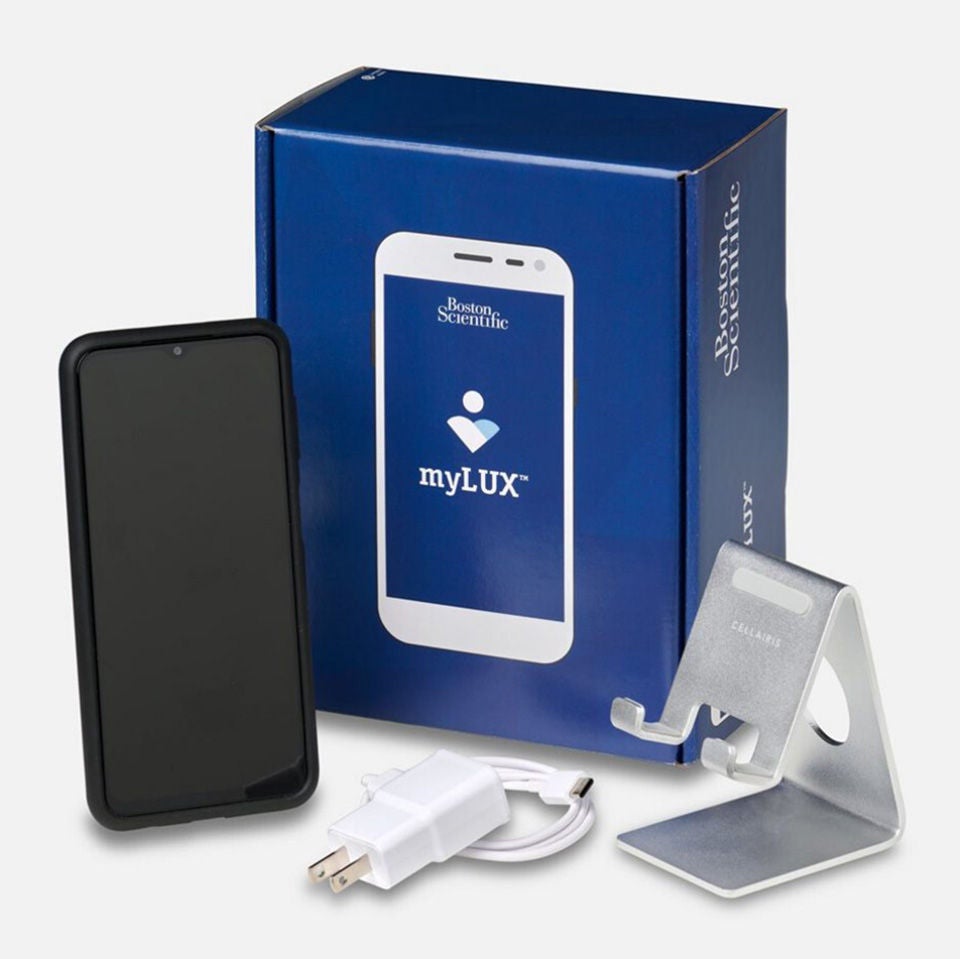
The downloadable myLUX™ Patient App** allows patients to use their personal smartphone for monitoring. Patients using the app on their own smartphone or a Boston Scientific provided mobile device, can sign up for the RhythmCARE™ Assist† service, an automated service that emails or texts patients directly to help with app set up and connectivity troubleshooting. The LUX-Dx™ Clinic Assistant App allows clinicians to interrogate LUX-Dx ICMs.* Together, these empower patients and improve compliance while clinicians focus on patient care.
Physician and patient advantages
Enhanced detection
The LUX-Dx II ICM System utilizes an enhanced verification step in the pause algorithm to further reject false positives due to low Signal-to-Noise ratio.
49%
fewer false positives while maintaining 100% sensitivity1‡
Robust data accuracy
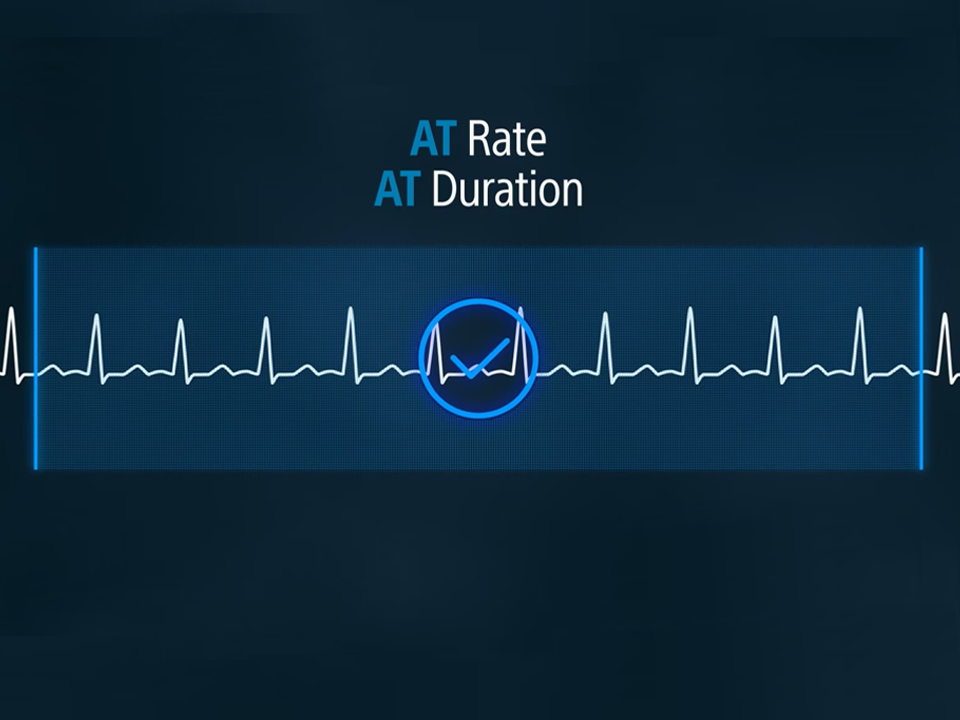
The Atrial Tachycardia (AT) algorithm is separately programmable from the Atrial Fibrillation (AF) algorithm. This allows you to monitor for long-duration clinical atrial arrhythmias, without compromising ideal AF detection settings.
Meaningful alerts
The LUX-Dx II ICM provides a daily PVC burden percentage with advanced programming and a unique PVC burden alert.§ The PVC Algorithm is capable of detecting PVC sequences, including couplets and triplets and demonstrated a 100% PPV and 84% sensitivity for identifying patients with PVC burdens ≥ 10%.2¶
Get meaningful alerts for all algorithms including AF, AT, Bradycardia, Pause, Tachycardia and PVC Burden.

100%
ppv

84%
sensitivity
when identifying patients with a PVC burden ≥ 10%4¶
Flexible patient monitoring
Once activated, the LUX-Dx II ICM sends data directly to the LATITUDE Clarity Data Management System, where alerts and comprehensive data are just a click away. The system is specifically designed for ICM workflows and features:
Advanced tools
Provides clear S-ECGs with advanced zoom and annotation tools to help save time and enhance confidence in data assessment.
Customizable options
Improves efficiency with multiple options for reporting and EMR integration, allowing clinics to tailor the system to their workflow.
One-way patient messages
Sends read-only messages to the myLUX Patient App, helping to save time in confirming data review and reducing patient anxiety.
Remote programming
Enables remote adjustments to accelerate critical decision-making and fine-tune detection parameters without the need to bring the patient into the clinic.
Organized design and navigation
Simplifies system learning and usage, reducing clicks and helping clinicians conduct thorough reviews more methodically.
Seamless patient experience
The LUX-Dx ICM* system offers a choice for patients to use their own smartphone with the downloadable myLUX Patient App for monitoring. Patients using the app on their personal smartphone or a Boston Scientific provided mobile device, can sign up for a supplemental support service called RhythmCARE Assist. This automated service notifies the patient via email and/or text message if they need to set up the app or when connectivity issues arise. The messages provide written and video educational content to guide the patient through reconnecting.
The LUX-Dx II+ Clinical Compendium
Get insights on real-world data from ongoing clinical trials.
Insertion procedure
Intuitive ICM Insertion Procedure
- Cut
While applying tension on the skin away from the incision location, cut at the intended angle until the blade is fully inserted. Technique may vary based on clinician preference and patient assessment. - Tunnel
At the incision location, fully insert the tunneling portion of the insertion tool parallel to the skin approximately 8mm under the surface. - Rotate
Rotate the insertion tool 180° in either direction, creating a pocket for the device to be inserted. - Pull back
Hold the base of the insertion tool to the incision site and pull back the plunger until you feel a hard stop or until the blue line is visible. This ensures the device has dropped down into the channel. - Insert
Lower the body of the tool close to the skin. Firmly hold the base of the insertion tool at the incision site while pushing the plunger in completely. - Remove
Pinch the incision site to hold the device in place while removing the insertion tool.
Tools
Technical specifications
Download the LUX-Dx II Spec Sheet
| Parameter | Value |
| Volume | 1.2 cm3 |
| Mass | 3 g |
| Dimensions W x H x D | 7.2 mm x 44.8 mm x 4.0 mm |
| Surface Area of Can Electrode | 75.3 mm2 |
| Surface Area of Header Electrode | 10.2 mm2 |
| Battery Longevity | 3 years*** |
***3 years projected longevity, under the following usage scenarios:
Average of 1 auto-detected event per day
Average of 1 patient-initiated event per month
Less than or equal to 6 months shelf life (between device manufacture and insertion)
PVC Burden disabled
Notes:
At the maximum shelf-storage time of 18 months, longevity is reduced by approximately 4 months
A smarter way to detect clinically relevant arrhythmias
Accelerate clinical action while reducing the burden of cardiac monitoring.
Ordering information
| Description | Model Number |
| LUX-Dx II Insertable Cardiac Monitor | M302 |
| myLUX™ Patient Kit | 6385 |
| LUX-Dx Clinic Assistant Mobile Device | 7256 |
| myLUX Mobile Device | 7259 |
| Magnet# | 6386 |
#Magnet model 6386 is an accessory used to initiate communication between the device and the mobile applications. It is available as a separately packaged accessory in addition to being packaged in the 6385 myLUX Patient Kit.
Training
Education and Training for the LUX-Dx ICM Systems*
Explore a one-stop shop for all the available LUX-Dx ICMs resources. Filter by category to find specific content, including LATITUDE Clarity™ resources, algorithm deep dives, LUX-Dx webinars, a continuing education course, and more.
Duration: 00:04:31
Lauren A. Rousseau, PA-C will provide an overview of the LUX-Dx II+™ ICM system technology, designed to enhance arrhythmia surveillance, and will reference case studies to discuss the clinical application of the algorithms.
Duration: 0:58:20
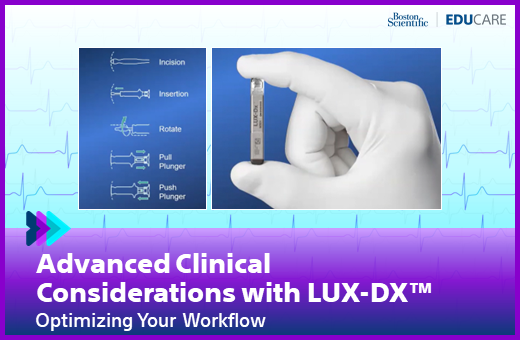
This Webinar is designed to provide clinicians with information on how to utilize the tools on LATITUDE Clarity including viewing recorded data and device settings, annotating, remote reprogramming, and EMR integration.
Duration: 01:08:13
Watch an electrophysiologist perform a live LUX-Dx ICM insertion procedure, review patient case studies, and see a device clinic manager’s demonstration of the LATITUDE Clarity Data Management System in this comprehensive webinar.
* References to "LUX-Dx ICMs" include LUX-Dx ,LUX-Dx II, and LUX-Dx II+ ICM Systems.
† The downloadable myLUX™ Patient App and RhythmCARE™ Assist Service may be available for compatible LUX-Dx™ ICMs.
‡ Simulated performance tested on real-world LUX-Dx ICM events.
§ As of 3/3/2025: REVEAL LINQ™ Clinician Manual, LINQ II™ Clinician Manual, BIOMONITOR III™ Technical Manual, BIOMONITOR IIm™ Technical Manual, BIOMONITOR IV™ Technical Manual, Merlin Patient Care System for SJM Confirm™ ICM, Confirm Rx™ and JOT Dx™ ICM Help Manual, Merlin Patient Care System Assert-IQ™ ICM Help Manual.
¶ In silico testing of algorithm performance on 12-lead Holter data.
1. Burke MC, Ravikumar V, Siejko K, Bohn D, Verdino RJ. Enhanced pause algorithm for insertable cardiac monitor reduces clinical review burden. Heart Rhythm. 2023;20(5):S723. Doi: HYPERLINK https://doi.org/10.1016/j.hrthm.2023.03.1498"10.1016/j.hrthm.2023.03.1498 www.heartrhythmjournal.com/article/S1547-5271(23)01803-9/pdf
2. Siejko KZ, Kupfer M, Rajan A, Herrmann K, Nair D. Premature ventricular contraction detection and estimation of daily burden by an insertable cardiac monitor. Heart Rhythm O2. 2025. doi: https://doi.org/10.1016/j.hroo.2025.01.004 pmc.ncbi.nlm.nih.gov/articles/PMC12047460
CAUTION: The law restricts these devices to sale by or on the order of a physician. Indications, contraindications, warnings, and instructions for use can be found in the product labeling supplied with each device or at www.IFU-BSCI.com. Products shown for INFORMATION purposes only and may not be approved or for sale in certain countries.