Boston Scientific accounts are for healthcare professionals only.
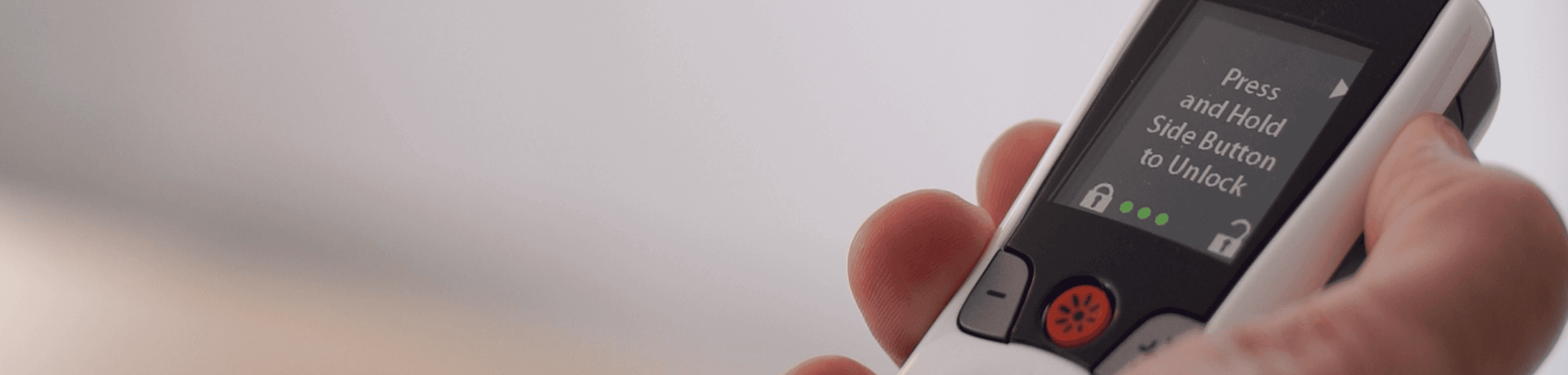
Designed for ease of use, the Freelink Remote Control is a hand-held device that allows you to communicate with and control your stimulator. You will typically use the remote control to turn your therapy ON or OFF, to increase or decrease stimulation strength, or to modify the Programs or Schedules that have been created for you.
Remote control video guide
- English language
- Spanish language
FAQs
To turn the therapy on, you must first unlock the control by pressing and holding the side button. You can turn therapy on and off by pressing the Therapy ON/OFF button on the front of the control (just below the screen).
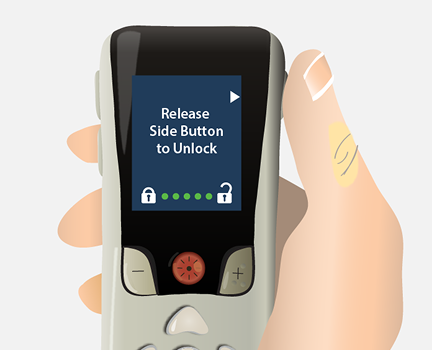
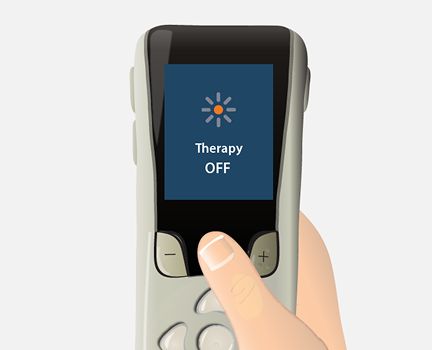
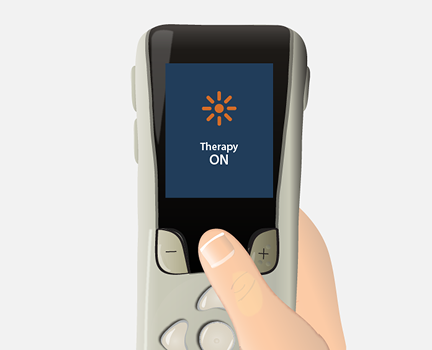
You can adjust the stimulation strength when a program or schedule is running. To decrease stimulation, press the "-” button next to the ON/OFF button. To increase stimulation, press the “+” button.

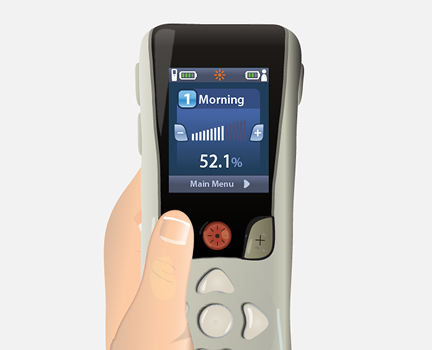
If your stimulator has been configured with programs that can be changed, you can use your remote control to switch between programs. Refer to your Remote Patient Handbook for detailed instructions on selecting programs.
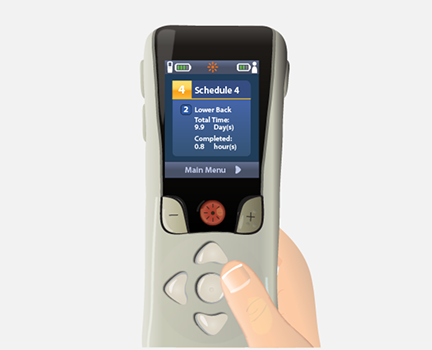
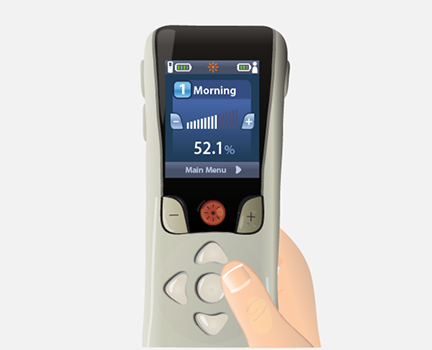
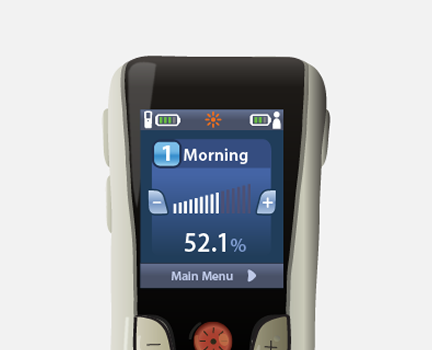
From the home screen, press right arrow to display main menu
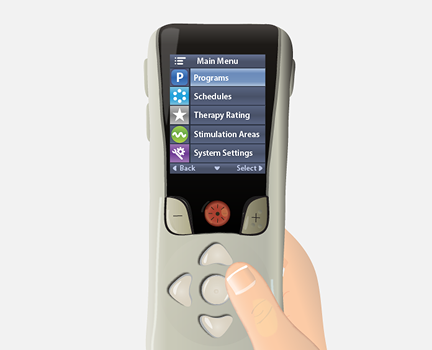
Press right arrow again to enter programs menu
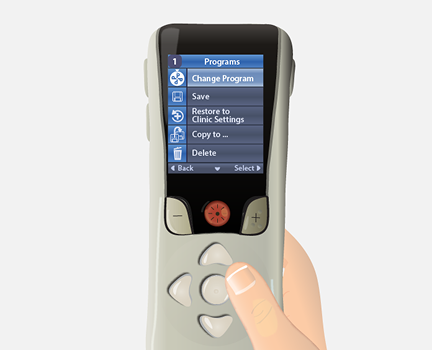
Press right arrow again to enter change programs menu
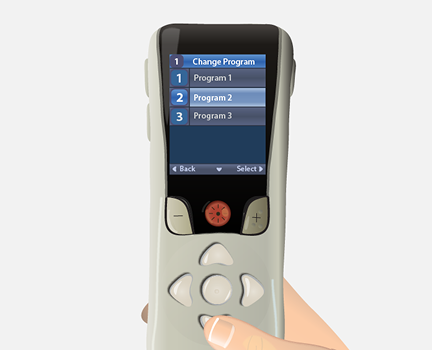
Press up or down arrow to select desired program
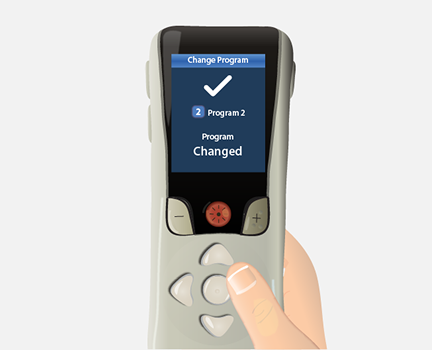
Press right arrow to activate selected program
The Freelink Remote Control has a typical range of up to 3 meters (about 9 feet). Note: If you are within that range, and still receive the Communication Error screen, try holding your remote control very close to your body near your stimulator and try again by pressing the white center, circle button. Remember, you will also see this error if you attempt to use the remote control while you are charging your stimulator.
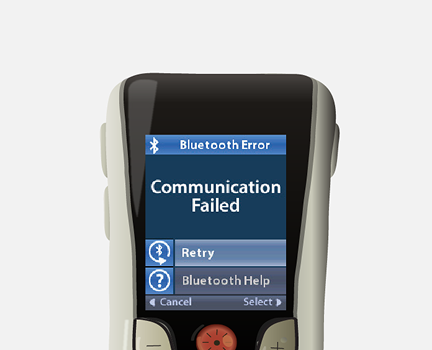
This is an indication that the battery on your remote control needs charging. Recharge the remote control battery by connecting to the USB power supply provided with the remote control. Connect the power plug end of the USB power supply to an electrical outlet.
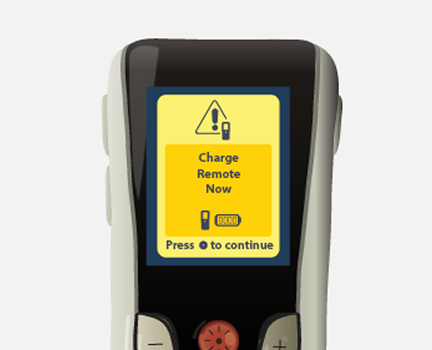
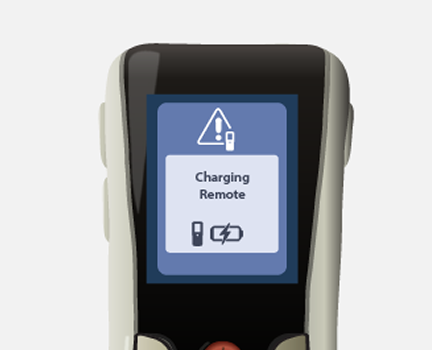
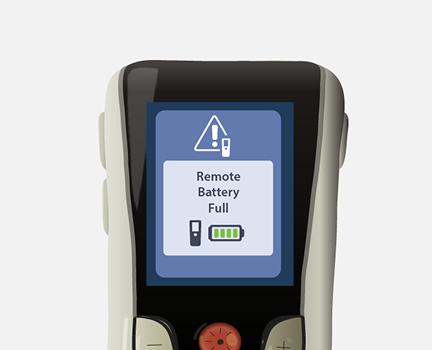
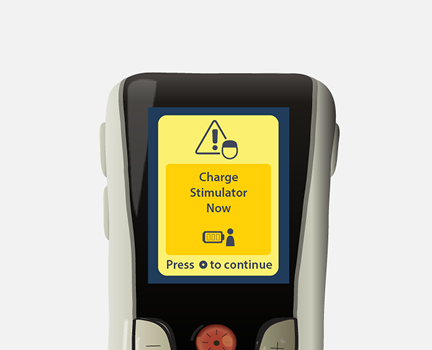
This message means it’s time to charge your stimulator. You can learn how to do that here.
Note: The remote control will not communicate with your stimulator while it is charging.
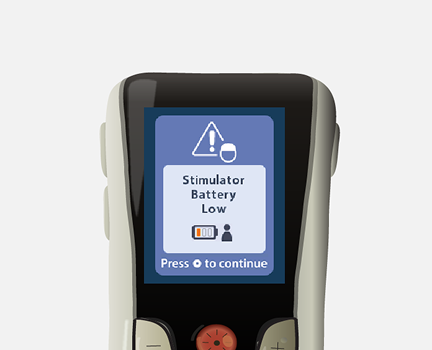
When the battery of a non-rechargeable stimulator is nearing depletion, it will enter Elective Replacement Indicator (ERI) mode and will display the following message:
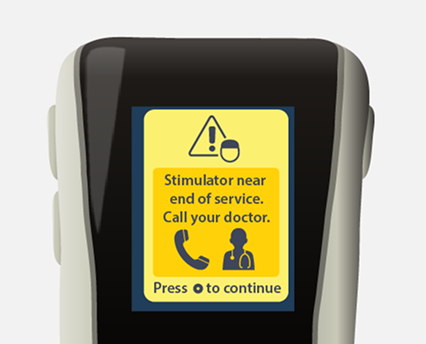
You will no longer be able to save changes made to your therapy on the remote control, and your stimulator must be replaced soon to continue receiving therapy. Call your doctor's office or local Boston Scientific representative to report this message screen and discuss your stimulator replacement options.
If you receive a new remote control, the following screen will appear and will prompt you to link the remote control to your stimulator:
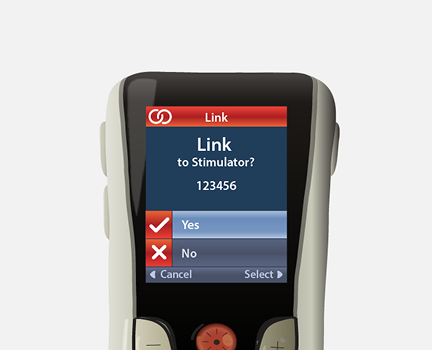
Select “Yes” to complete this link by pressing the white, center circle button. The remote control will search for any stimulators in the vicinity and display them on the screen. Navigate to your stimulator using the arrow keys and select it. Once linked, the Home Screen will appear on your remote control.
You can call our Patient Care team at (866) 360-4747 to discuss your replacement options.
Yes, your remote control and charging systems have a 12-month warranty.
The warranties on your SCS charging system and remote control expire after 12 months. At that time, you will receive notification by mail that you have the option to purchase extended warranties on your remote control and charging system. This may be useful for you if you do not have insurance or if your plan has a high deductible. It is a good idea to check with your insurance provider to see what they would cover in the event you need to replace your charging system or remote control.
Note: If you did not receive a letter from us or if you have any questions about the extended warranty, you can call the Boston Scientific Patient Care team at (866) 360-4747.


We’re here to help
Our Patient Care team is here to support you throughout your SCS journey.
Available 5am to 5pm PST, Monday through Friday
Indications for Use: The Boston Scientific Spinal Cord Stimulator (SCS) Systems* are indicated as an aid in the management of chronic intractable pain of the trunk and/or limbs including unilateral or bilateral pain associated with the following: Failed Back Surgery Syndrome, Complex Regional Pain Syndrome (CRPS) Types I and II, Intractable low back pain and leg pain, Diabetic Peripheral Neuropathy of the lower extremities, Radicular pain syndrome, Radiculopathies resulting in pain secondary to failed back syndrome or herniated disc, Epidural fibrosis, Degenerative disc disease (herniated disc pain refractory to conservative and surgical interventions), Arachnoiditis, Multiple back surgeries.
The Boston Scientific Spectra WaveWriter™, WaveWriter Alpha™ and WaveWriter Alpha™ Prime SCS Systems are also indicated as an aid in the management of chronic intractable unilateral or bilateral low back and leg pain without prior back surgery.
*The Boston Scientific Spinal Cord Stimulator (SCS) Systems include the following: Precision™ System, Precision Spectra™ System, Precision Novi™ System, Precision Montage™ MRI System, Spectra WaveWriter™ System, WaveWriter Alpha™ System, WaveWriter Alpha™ Prime System.
Note: CRPS I was previously referred to as Reflex Sympathetic Dystrophy (RSD) and CRPS II was previously referred to as causalgia.
The mySCS™ Go Therapy Controller is intended to communicate with and control the compatible Boston Scientific Stimulator.
Contraindications: The Boston Scientific Spinal Cord Stimulator systems are not for patients who are unable to operate the system, have failed trial stimulation by failing to receive effective pain relief, are poor surgical candidates, or are pregnant.
Warnings: With all medical procedures, there are risks associated with the procedure and the use of the device. Patients implanted with Boston Scientific Spinal Cord Stimulator systems without ImageReady™ MRI Technology should not be exposed to Magnetic Resonance Imaging (MRI). Exposure to MRI may result in dislodgement of the stimulator or leads, heating of the stimulator, severe damage to the stimulator electronics and an uncomfortable or jolting sensation. As a Spinal Cord Stimulation patient, you should not have diathermy as either a treatment for a medical condition or as part of a surgical procedure. Strong electromagnetic fields, such as power generators or theft detection systems, can potentially turn the stimulator off, or cause uncomfortable jolting stimulation. The system should not be charged while sleeping. The Boston Scientific Spinal Cord Stimulator system may interfere with the operation of implanted sensing stimulators such as pacemakers or implanted cardiac defibrillators. Advise your physician that you have a Spinal Cord Stimulator before going through with other implantable device therapies so that medical decisions can be made and appropriate safety measures taken. Patients using therapy that generates paresthesia should not operate motorized vehicles such as automobiles or potentially dangerous machinery and equipment with the stimulation on. Stimulation must be turned off first in such cases. For therapy that does not generate paresthesia (i.e. subperception therapy) it is less likely that sudden stimulation changes resulting in distraction could occur while having stimulation on when operating moving vehicles, machinery, and equipment.
Be sure to talk with your doctor so that you thoroughly understand all of the risks, precautions, and benefits associated with the use of the device and what indicates, and contraindicates, certain patients– as well as the risks and precautions for the procedure. For complete indications for use, contraindications, warnings, precautions, and side effects, call 866.360.4747 or visit Pain.com.
Caution: U.S. Federal law restricts this device to sale by or on the order of a physician.