










Our DBS System Controller is now an app on smartphone.* When you are implanted with a Boston Scientific DBS System, you’ll receive a smartphone that comes with our app already installed. You can control your therapy by using the same simple taps and swipes you're used to on a phone. This makes it easy to use while keeping your DBS System safe and connected.
Features
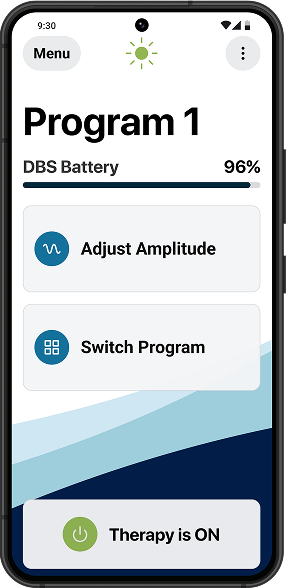
Clear display
An easy-to-read screen shows your settings at a glance.
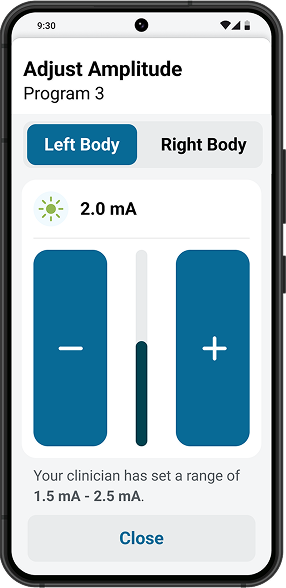
Larger buttons
Larger buttons allow for more comfortable interactions. Enjoy simple and precise adjustments.
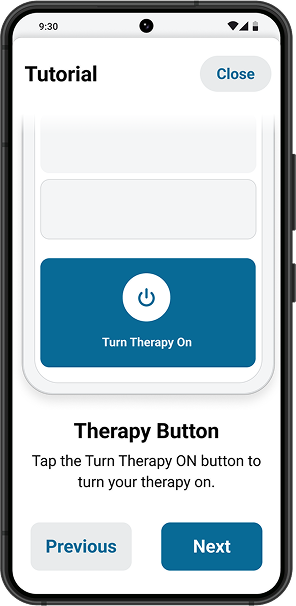
Step-by-step guidance
Built-in tutorials help you navigate features with confidence.
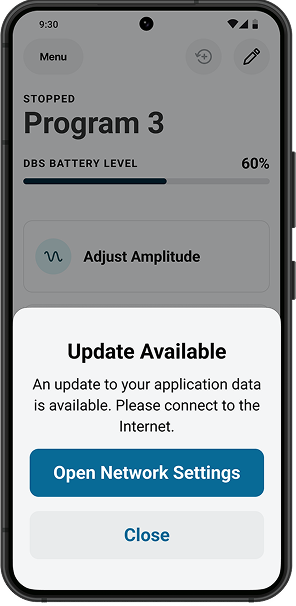
Future-ready technology
As your needs evolve, so does your remote. The remote has the capability to receive updates ensuring you always have access to the latest features.
Looking for support on your Vercise DBS Controller?
View a video guide that provides easy-to-follow instructions that walk you through every feature and function of the new Controller, ensuring you can operate it with confidence.

Frequently asked questions
We understand that transitioning to a new device can raise questions. Take a look at our local websites, you'll find answers to the most common questions.. If you don't find the answer you're looking for, please contact your physician.










MRI Mode instructions
Safety is our top priority when it comes to MRI procedures. The Vercise™ DBS Controller includes a dedicated MRI Mode that ensures your device operates safely during magnetic resonance imaging. These instructions will guide your clinician through activating MRI Mode, understanding the safety checks, and returning to normal operation after your scan.
Before proceeding with any MRI procedure, always consult with your healthcare provider and ensure they are aware that you have an implanted device. They will provide specific guidance based on your individual situation and the type of MRI scan being performed.



*The Vercise™ DBS Controller is compatible with the Vercise Genus™ Deep Brain Stimulation only. Please visit: https://www.bostonscientific.com/en-EU/health-conditions/movement-disorders/resources/vercise-dbs-controller/compatible-phones.html for a list of compatible mobile devices.
CAUTION: The law restricts these devices to sale by or on the order of a physician. Indications, contraindications, warnings and instructions for use can be found in the product labelling supplied with each device or at www.IFU-BSCI.com. Products shown for INFORMATION purposes only and may not be approved or for sale in certain countries. This material is not intended for use in France.